Guide · 3 stepsGuide · 3 stepsGuide · 3 steps
Why did my step count go down?
Which phone do you use?
We'll show the steps for it. You can switch any time.
Steps for your iPhone Steps for your Android phone Which phone do you use?
Set by your Steps Club app Set by the link you opened Detected your iPhone Detected your Android phone Remembered from your last visit Saved for your next visit Showing iPhone · Showing Android ·
- iPhone
- Android 14+
- Android 9–13
- Any watch, ring or step app
Quick answer
Apple Health or Health Connect usually recounted the day: a watch synced late, your order changed, or an entry was removed. In Steps Club, a past day drops only for a big, confirmed correction, never to zero.
Apple Health or Health Connect recounted the day
Often the change is small. Apple Health and Health Connect don’t keep one running total: they rebuild the day from everything your apps have saved. Where two apps counted the same time, the one higher on your list wins (Data Sources & Access on iPhone, Data sources and priority in Health Connect). So the day can go down when:
- A watch synced late. Your phone’s count stood in until your watch’s steps arrived. If the watch is higher on your list, its count replaces the phone’s for that time, even when it’s lower.
- Your list changed. You moved a source, or on iPhone a newly connected app went to the top. Its count now wins the overlaps.
- An entry went away. You or an app deleted it. Uninstalling an app doesn’t remove what it saved.
- An app corrected itself. Some apps keep one record for the whole day and update it as the day goes on.
- Two apps had been added together, and you fixed the order. That drop is the extra coming off: see When two apps get added together.
A drop of thousands usually means your list changed, an entry was deleted, or two apps had been added together.
What to do
Most small drops need nothing. To check one that looks wrong:
- In the Health app, tap Search (Browse on iOS 18 and older), then Activity, then Steps, and compare today's number with your watch's app.
- Scroll to the bottom and tap Data Sources & Access. Is the source you trust at the top? If not, tap Edit, touch and hold the three lines (≡) next to it, drag it to the top, then tap Done.
- Go back to Steps and tap Show All Data to see each entry and which app saved it.
- Open Health Connect and tap Data and access (some phones say Browse data), then Activity, then Steps, and compare today's number with your watch's app.
- Back on Health Connect's main page, tap Manage data, then Data sources and priority. If the menu at the top doesn't say Activity, choose Activity. Is the app you trust first? If not, tap its three dots (⋮), then Move up until it is. No dots? Drag it there. Android 13 and older: don't see Manage data? Tap Data and access, then Activity, then App priority.
- Go back to Data and access › Activity › Steps and open Entries (See all entries in older versions) to see each entry and which app saved it.
On iPhone
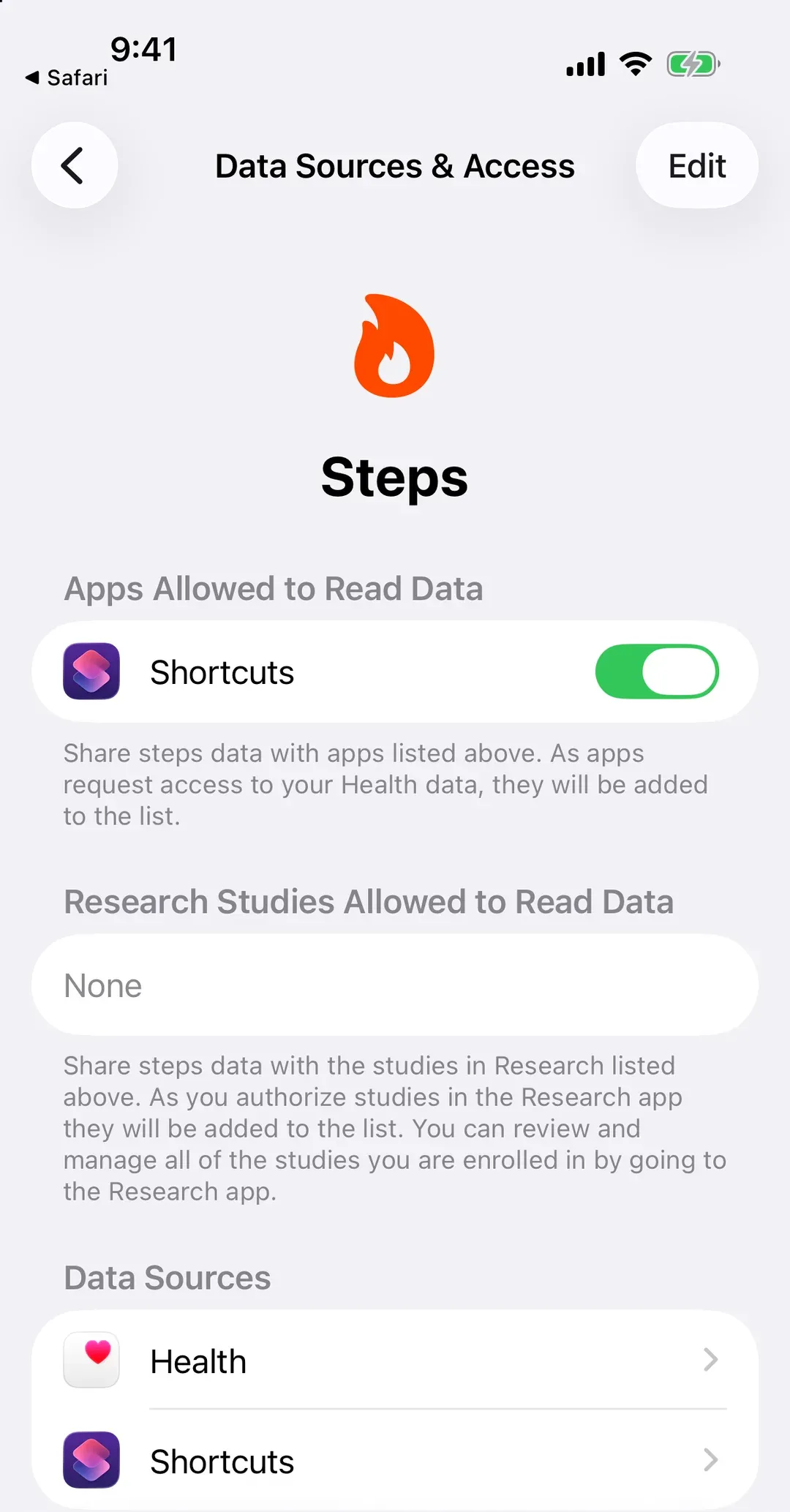
A wrong entry, or an app that keeps saving one, is fixed where it’s stored: Wrong entries and steps you added by hand.
Why this happens
Say your iPhone counted 6,000 steps by lunch, before your watch synced. Then the watch syncs: for the same walk, it counted 5,700. Your watch is first on your list, so Health keeps its count, and your morning drops to 5,700. Nothing was lost: two counters saw the same walk a little differently, and your list picked one.
The same rule explains a rise: when the watch counted more, its steps lift the day the moment they arrive. Either way, the shared count follows your list, which is why the order matters more than any single app.
What Steps Club does with a lower count
Steps Club reads the same number your health app shows, but it doesn’t take a number back lightly. Once you’ve seen a count, a lower one replaces it only when the higher one was clearly wrong: at least 30% and 2,000 steps lower, and still lower when Steps Club checks again at least 15 minutes later. Smaller drops keep the number you saw. For now, two things re-read today exactly as your health app has it: Resync in Settings, and on Android the one-time read of your older steps right after you allow Steps Club to see them. That’s fixed in the next update, after which they follow the same rule.
If Health Connect was adding two apps together and you put the right one first, the extra comes off on the days Steps Club saw counted twice. Other days come down only if the drop clears the bar above.
So now and then a day in Steps Club sits a little above your health app, usually by a few dozen steps, sometimes more after a live walk counted with your phone.
Goals and streaks
A goal you hit stays hit. If the day’s count drops below your goal afterwards, the day still counts as met.
A day that ends short of your goal isn’t marked as missed right away. Steps Club waits until your phone has synced past midnight, or a day at the most, because steps that arrive late still count for the day you walked them. If they lift the day over your goal, it counts, and your streak with it, as long as they arrive within about a week.
Lost a streak on a day you hit your goal? Look at the days before it. A missed day ends a streak once your rest days for that week are used up, and a goal you change counts from the next day.