GuideGuideGuide · 3 steps
Connect Samsung Health to Health Connect (Galaxy Watch and Galaxy phones)
Which phone do you use?
We'll show the steps for it. You can switch any time.
Steps for your iPhone Steps for your Android phone Which phone do you use?
Set by your Steps Club app Set by the link you opened Detected your iPhone Detected your Android phone Remembered from your last visit Saved for your next visit Showing iPhone · Showing Android ·
- Android 14+
- Android 9–13
- Samsung Health
- Galaxy Watch
- iPhone (older Galaxy Watch)
Quick answer
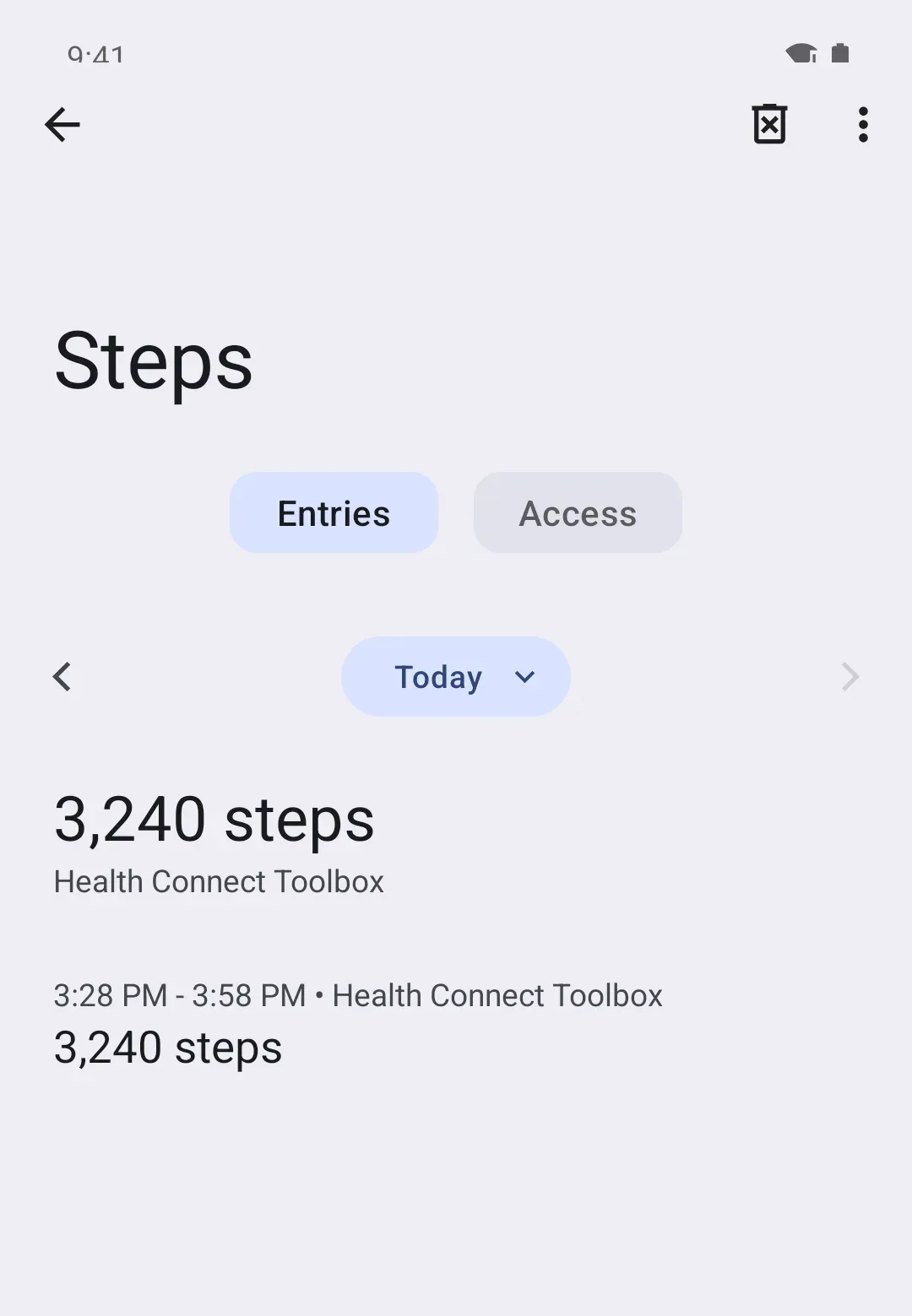
AndroidSamsung Health needs your OK first. Tap More options (three dots), then Settings, then Health Connect, and allow Steps. Then open Samsung Health so it sends them.
Samsung Health › Settings › Health Connect › Samsung Health › Activity › Steps
On Android
Set it up
Samsung Health comes installed on Galaxy phones, but installed isn’t the same as sharing. It needs your OK once, for steps, and Samsung Health 6.22.5 or later.
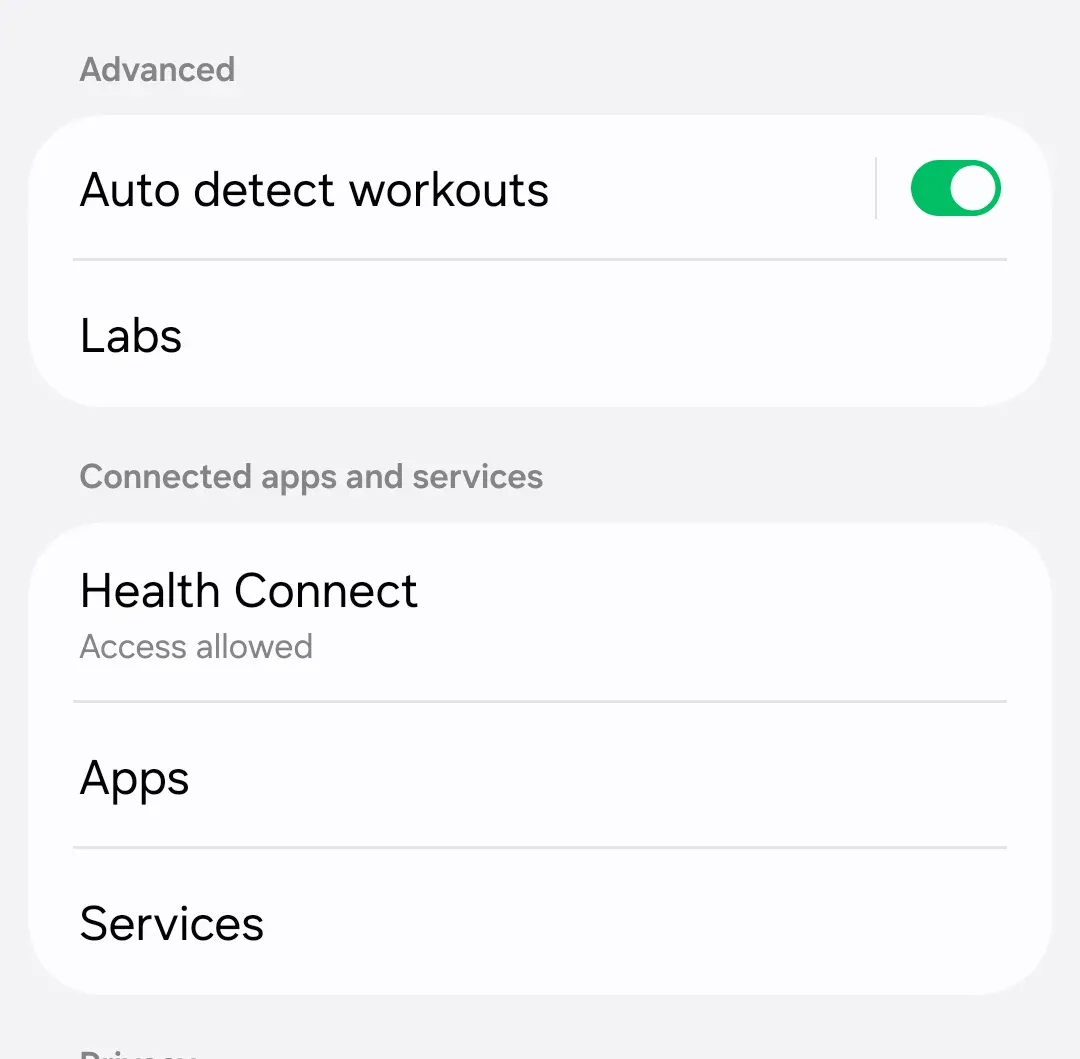
- In Samsung Health, tap More options (three dots, top right), then Settings.
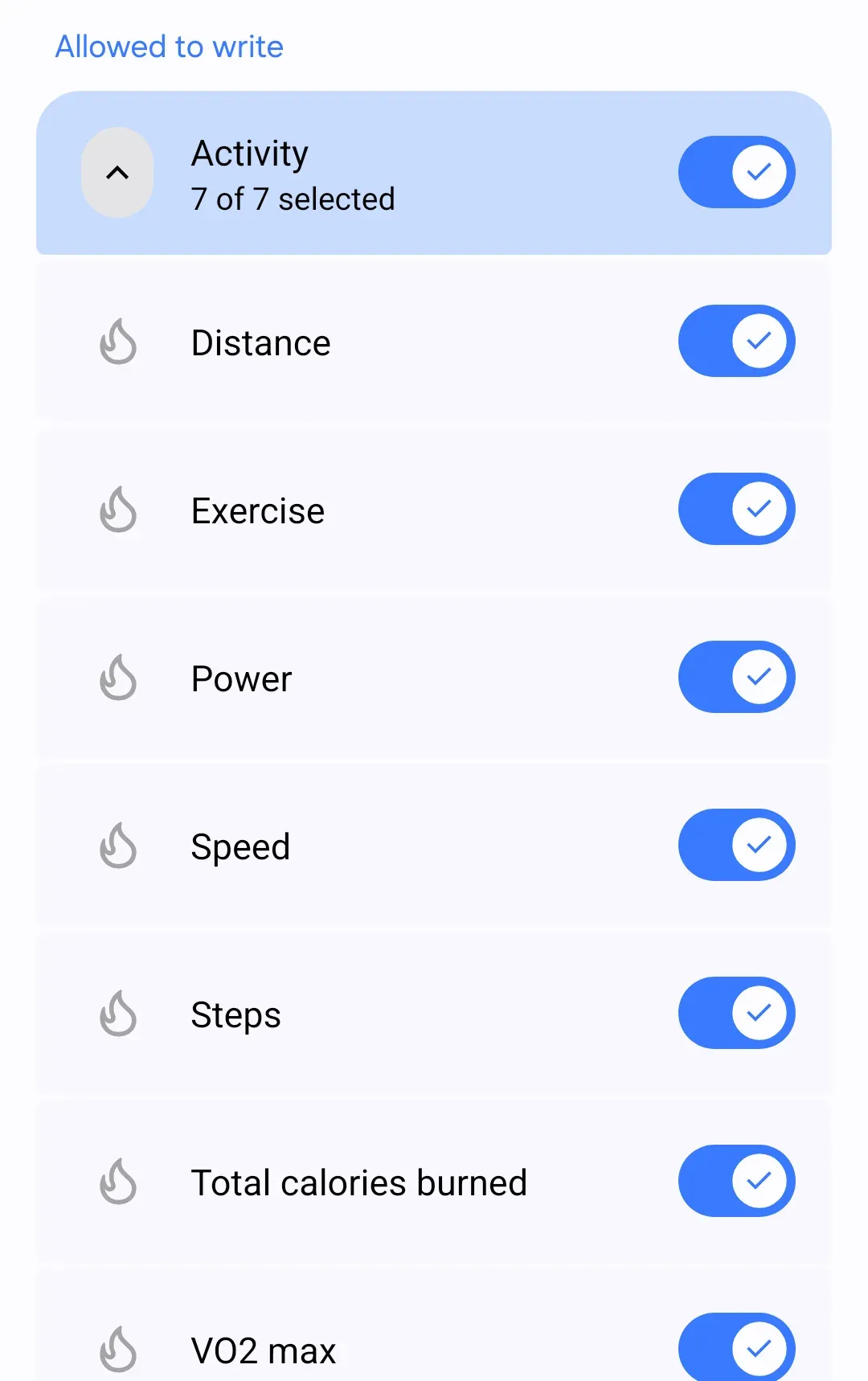
- Under Connected apps and services, tap Health Connect, then Samsung Health under Your health apps (on older versions, App permissions › Samsung Health). Under Allowed to write, open Activity and turn on Steps.
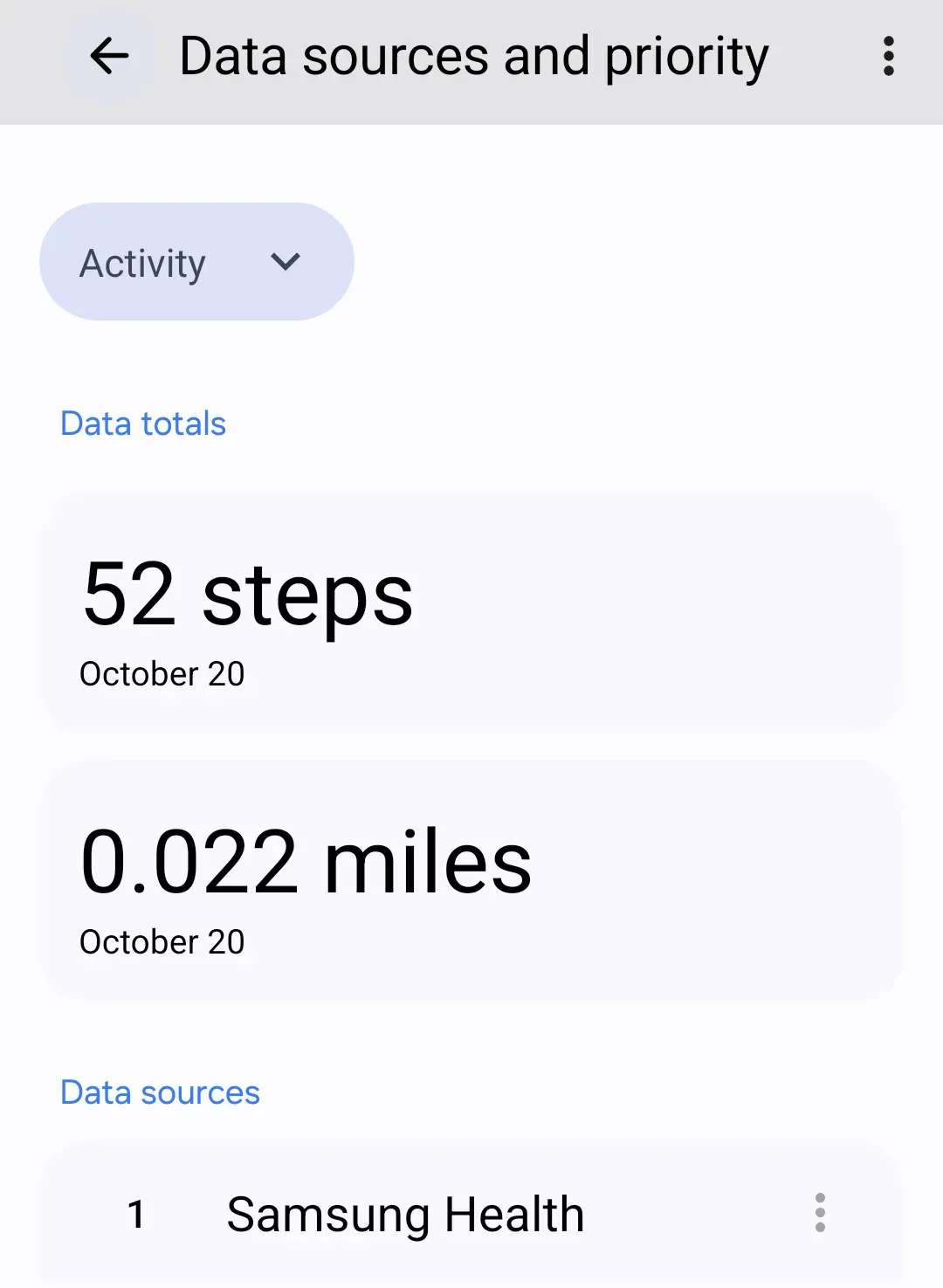
- Already allowed? In Health Connect, tap Manage data, then Data sources and priority, choose Activity, and move Samsung Health to the top with its three-dot button (⋮).
On Android
Then open Samsung Health’s home screen once, so it sends today’s steps. Run the quick check again: Samsung Health should be in today’s entries.
Android 13 and older: Health Connect is its own app there. Install or update it from the Play Store first.
For watch steps, keep Samsung Health on your watch up to date too.
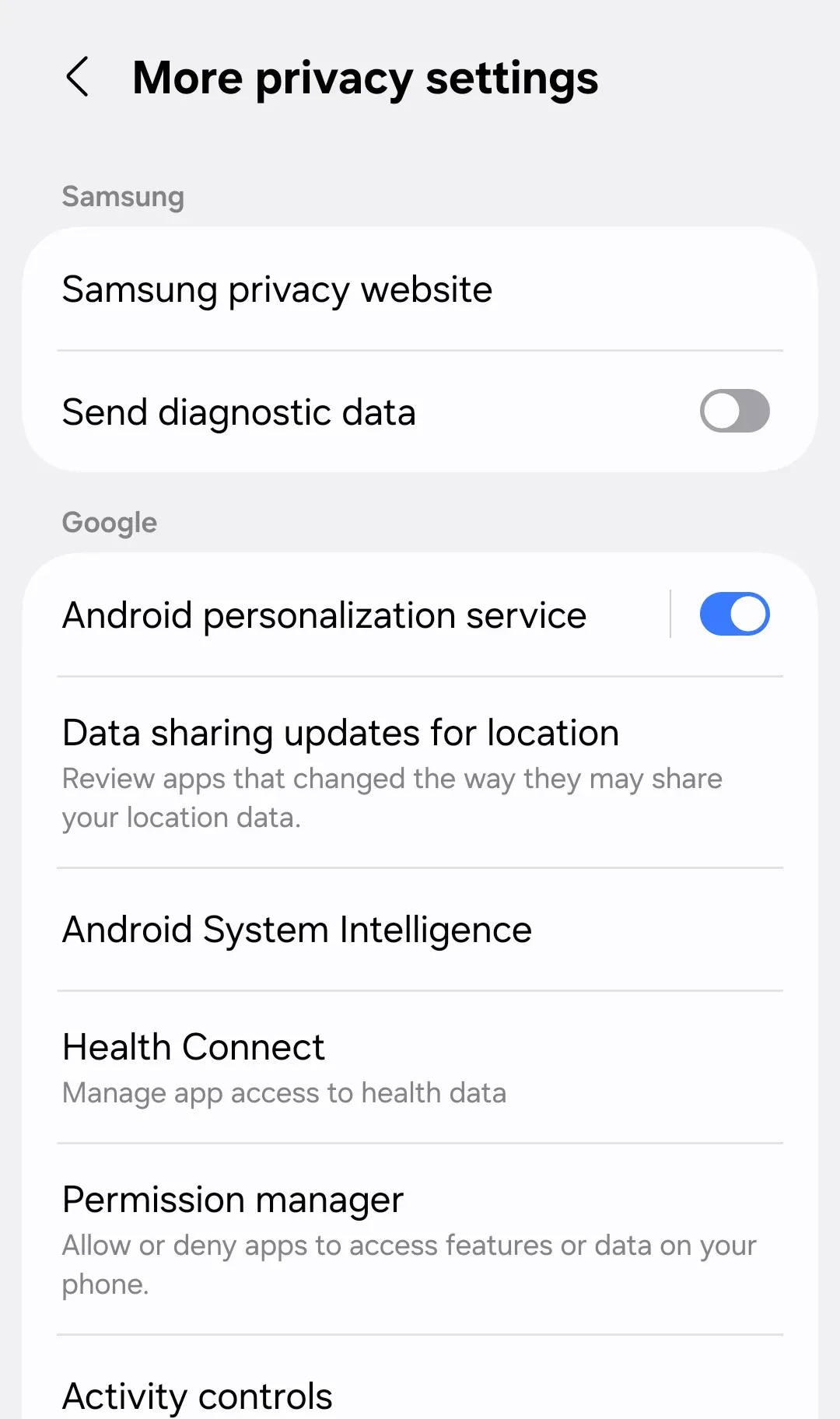
Rather start from your phone’s Settings? Go to Settings › Security and privacy › More privacy settings › Health Connect, then Samsung Health. That works too. Open Samsung Health afterwards so the connection starts.
On Android
When its steps arrive
Two hops, each on its own timing:
- Watch → Samsung Health on your phone. Your Galaxy Watch keeps steps and passes them to Samsung Health on Samsung’s own schedule, set to save battery. Keep the watch near your phone with Bluetooth on.
- Samsung Health → Health Connect. Samsung says its app saves new data to Health Connect as soon as it changes. On the phones we see, steps usually land when Samsung Health is opened, so opening it is the quickest nudge.
So if Health Connect is behind your watch, open Samsung Health and give it a moment. Still behind? In Samsung Health, go to Settings › Sync with Samsung Cloud (older versions: Sync with Samsung account) and tap Sync now.
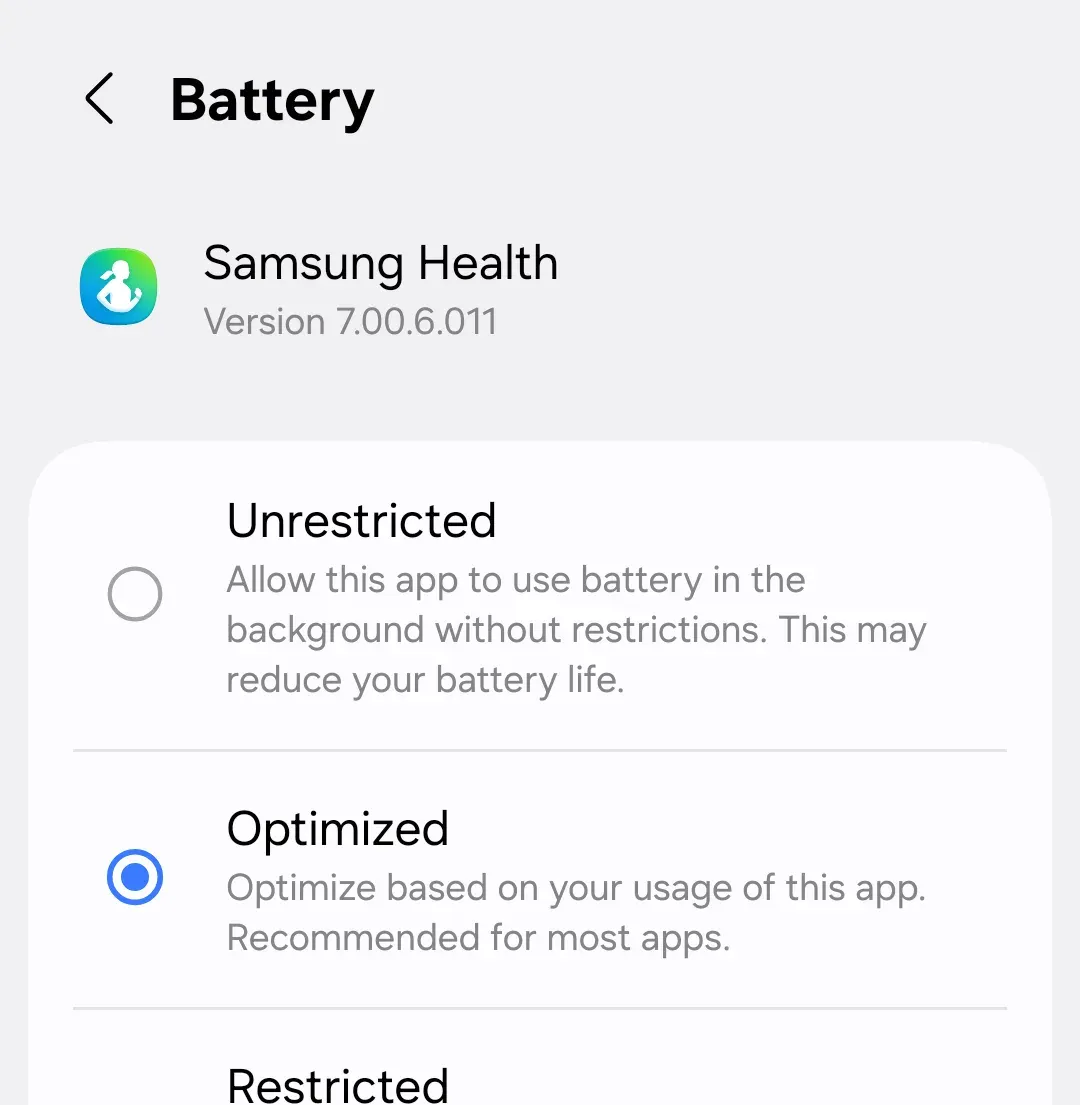
Battery saving can hold Samsung Health back too, so it sends late. Set it to Unrestricted: Settings › Apps › Samsung Health › Battery.
On Android
Put Samsung Health first
Your phone counts steps too. When your phone and Samsung Health both counted the same walk, Health Connect keeps the count from whichever is higher on your list. Put Samsung Health at the top: Health Connect › Manage data › Data sources and priority, choose Activity, then tap the three dots (⋮) next to Samsung Health and Move up until it’s at the top. Android 13 and older: don’t see Manage data? Tap Data and access, then Activity, then App priority.
Samsung Health has to be listed under Data sources there. If it isn’t, its steps can be saved but don’t count in your total. Not there? Open Samsung Health once, then check again.
On Android
Things that trip people up
- One record for the whole day. Normally Health Connect keeps one count. But Samsung Health saves your day as one long record, and if it sits below your phone on your list, the two can end up added. Putting Samsung Health first fixes it: How Apple Health and Health Connect decide your step count.
- It shares other data but not steps. Sharing is chosen type by type. Check that Steps itself is allowed, not just sleep or heart rate.
Galaxy Watch and iPhone
Samsung says Galaxy Watch4 and newer don’t work with an iPhone. Some older models (Galaxy Watch3, Watch Active and Active2) can pair with an iPhone through Samsung’s Galaxy Watch app, but Samsung doesn’t say their steps reach Apple Health. On an iPhone, count on your iPhone’s own steps.
Why it works this way
Samsung Health is the app your Galaxy Watch reports to. Health Connect is Android’s shared place for health data. Samsung Health doesn’t share with it until you allow each type, and your watch’s steps only reach Health Connect through Samsung Health on your phone, never from the watch directly.