GuideGuide · 3 stepsGuide
Apple Watch steps not showing in the Health app
Which phone do you use?
We'll show the steps for it. You can switch any time.
Steps for your iPhone Steps for your Android phone Which phone do you use?
Set by your Steps Club app Set by the link you opened Detected your iPhone Detected your Android phone Remembered from your last visit Saved for your next visit Showing iPhone · Showing Android ·
- iPhone
- Apple Watch
Quick answer
iPhoneThere's nothing to connect: Apple Watch sends steps to Health on its own. Missing? Turn on Fitness Tracking and keep the watch near your iPhone.
Health › profile picture › Devices › Apple Watch › Privacy Settings › Fitness Tracking
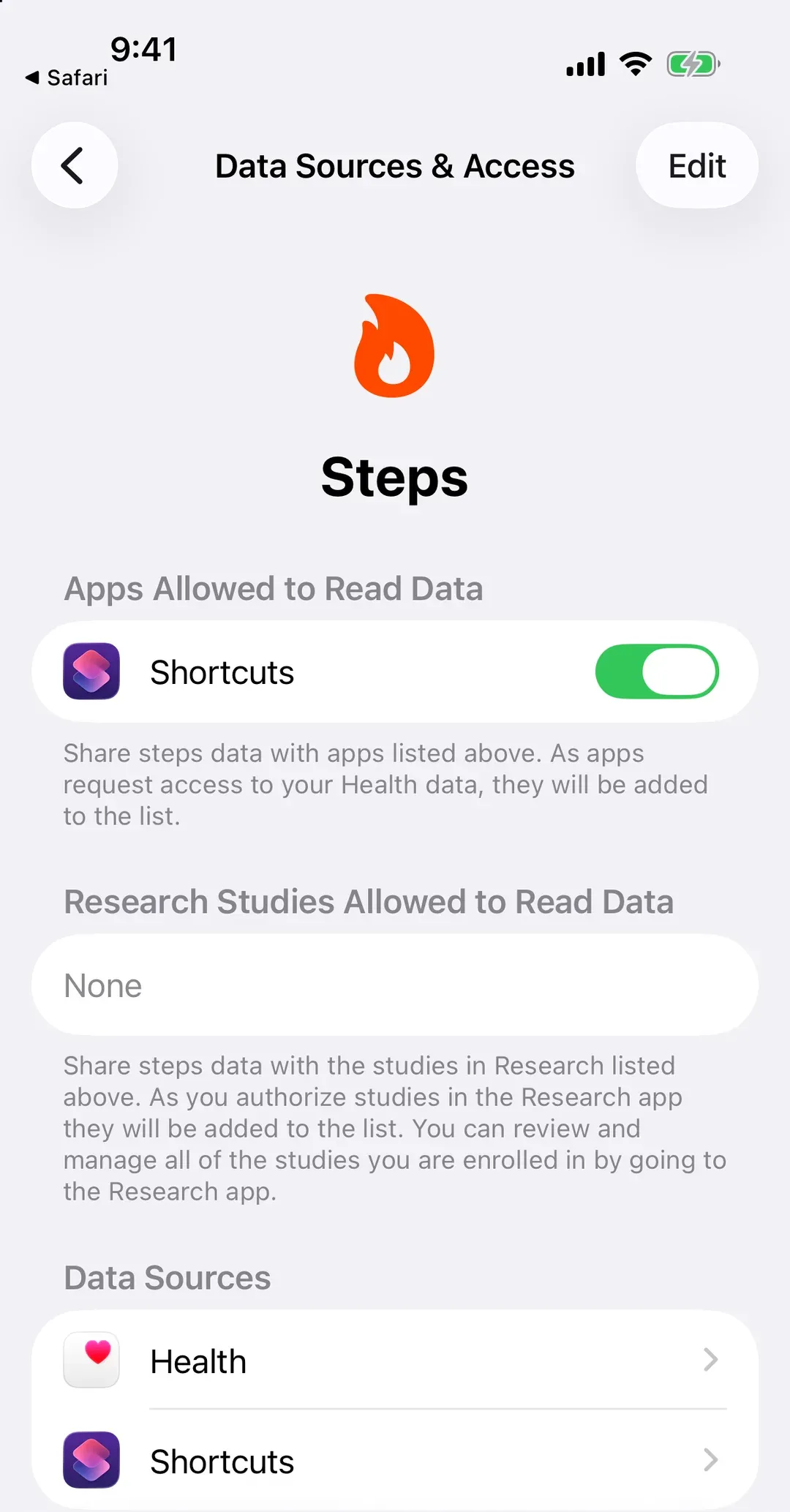
Check your watch is counting
There’s nothing to connect: Apple Watch saves your steps to the Health app on its own. If they’re missing, check these.
- Keep your watch near your unlocked iPhone, with Bluetooth on.
- In Health, tap your profile picture, then Devices, Apple Watch, Privacy Settings. Turn on Fitness Tracking.
- In Health, go to Steps (Search › Activity › Steps), then Data Sources & Access, and check Apple Watch is there.
Turned something on? Wear the watch for a few minutes with your iPhone nearby, then look again.
When its steps arrive
On their own, as you walk, whenever your watch is near your iPhone. You don’t need to open any app.
Put your watch first
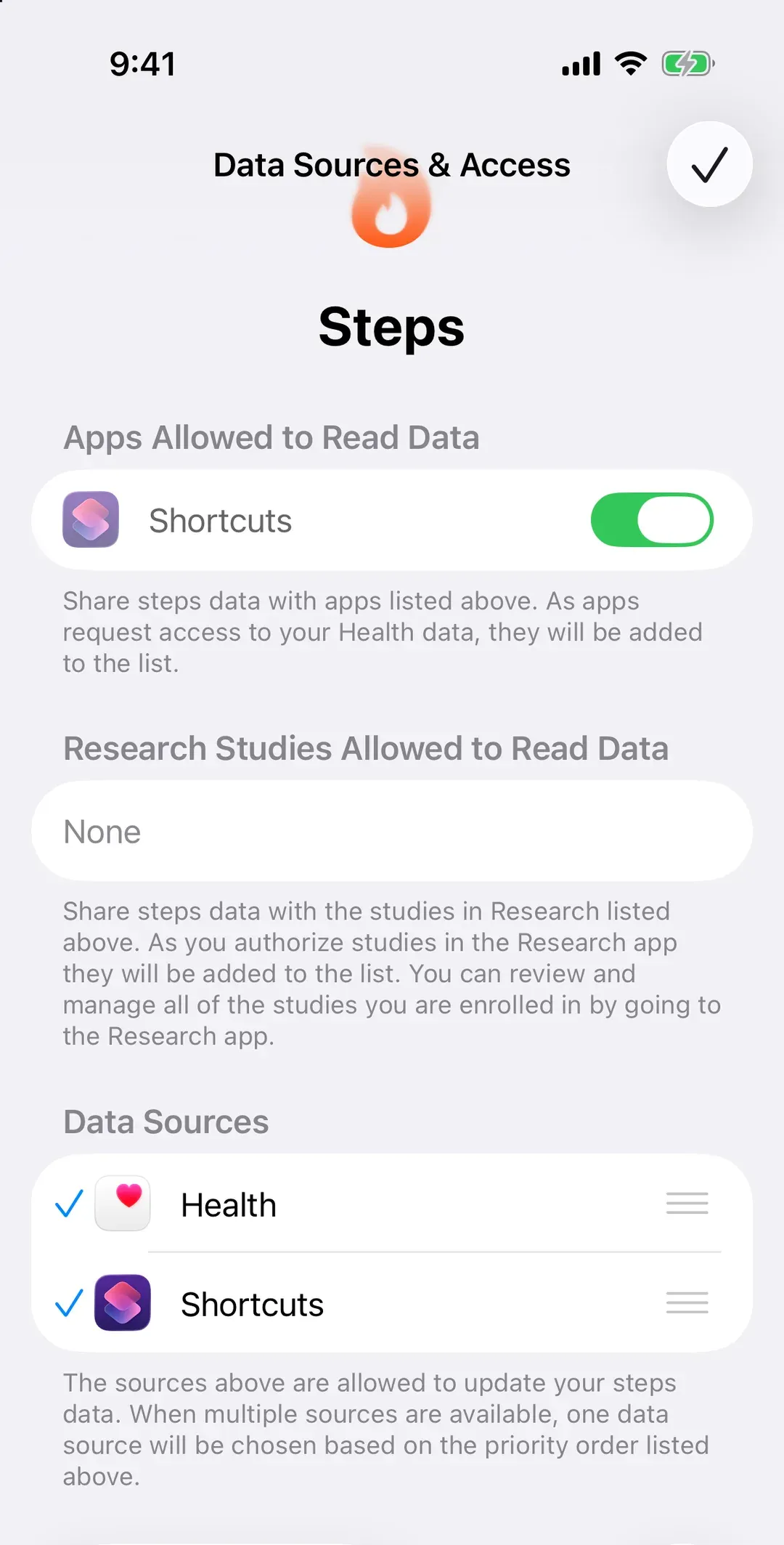
When your iPhone and your Apple Watch both counted the same walk, Health doesn’t add them. It keeps the count from whichever is higher on your list, and your iPhone and Apple Watch start in the same group. If your iPhone sits above your watch, the steps both counted come from your iPhone.
In Health, go to Search › Activity › Steps › Data Sources & Access, tap Edit, and drag your Apple Watch above your iPhone. Then tap Done.
Connected another app since, like Oura or Garmin? A new app usually lands at the top of the list. Check the order again.
Things that trip people up
- Another watch’s steps don’t move your rings. Garmin and Oura both say their steps don’t fill Apple’s Activity rings. They still count in Health’s step total.
- Two watches. If you wear an Apple Watch and another tracker, both send steps. Health keeps one, by your list. Decide which you trust and put it first.
- Android phone? Apple Watch only works with an iPhone. On Android, its steps can’t reach Health Connect.
Why it works this way
Your iPhone and your Apple Watch both count steps into the Health app, without any setting from you. So “missing” Apple Watch steps usually means one of three things: the watch isn’t counting (Fitness Tracking is off), it hasn’t been near your iPhone since, or your iPhone is ahead of it on the list.