Guide · 3 stepsGuide · 3 stepsGuide · 3 steps
How Apple Health and Health Connect decide your step count
Which phone do you use?
We'll show the steps for it. You can switch any time.
Steps for your iPhone Steps for your Android phone Which phone do you use?
Set by your Steps Club app Set by the link you opened Detected your iPhone Detected your Android phone Remembered from your last visit Saved for your next visit Showing iPhone · Showing Android ·
- iPhone
- Android 14+
- Android 9–13
- Any watch, ring or step app
Quick answer
When your phone and watch count the same walk, Apple Health and Health Connect don't add them. They keep the count from whichever source is higher on your list. Put the one you trust first.
One number from many counters
Your phone counts steps. So might your watch, your ring, or an app like Samsung Health or Google Health. On iPhone they all send their steps to Apple Health. On Android they send them to Health Connect.
Those two are the shared stores. Each counter saves its own records, some minute by minute, some in bigger chunks. The store turns them all into one number for your day, and every app that shows your steps reads that number.
Overlaps aren’t added. Your list decides.
Wherever two sources counted the same stretch of time, the store keeps one: the source higher on your list. Where only one source counted, its steps go in.
Say your watch is first, and you took it off at lunch to charge it:
| When | Watch | Phone | Counted |
|---|---|---|---|
| Morning walk | 3,000 | 3,200 | 3,000 (watch is first) |
| Lunch, watch charging | — | 1,500 | 1,500 (only the phone counted) |
| Evening walk | 2,000 | 1,600 | 2,000 (watch is first) |
| Your day | 5,000 | 6,300 | 6,500, not 11,300 |
Your day is higher than your watch’s 5,000, and that’s right: the phone filled the watch’s gap. Put the phone first instead and the same day comes to 6,300.
The order you start with
On iPhone
Apple Health ranks steps you entered yourself first, then your iPhone and Apple Watch, then other apps and devices. But a new app or device you connect goes straight to the top, above your iPhone. That’s why connecting a ring or a new watch can change your total from one day to the next.
On Android
Health Connect ranks apps under App sources, for the whole Activity category. Your phone’s own step counter (Android 14 and up) starts at the bottom. An app you remove from App sources can still save steps, but they stop counting in your total.
When two apps get added together
A few apps save your whole day as one long record instead of minute by minute. If a finer counter, like your phone, sits above one of them in Health Connect, the store takes the phone’s minutes and then also counts the part of that app’s day the phone didn’t cover.
The result looks like both apps added together. Say the app counted 7,000 for the day and your phone counted 4,000: Health Connect can show close to 11,000. Putting the whole-day app first fixes it.
Change the order
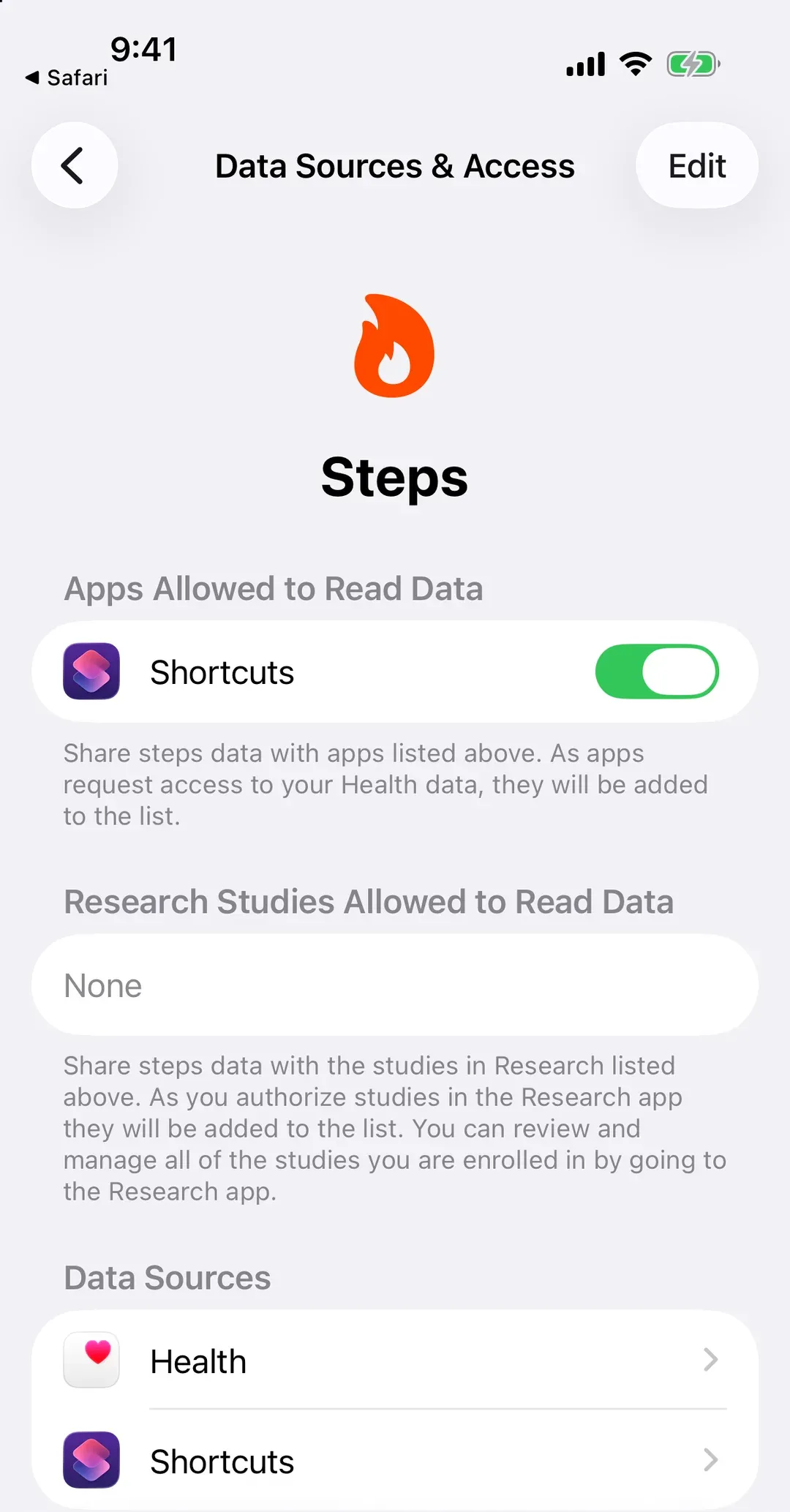
- In the Health app, tap Search (Browse on iOS 18 and older), then Activity, then Steps.
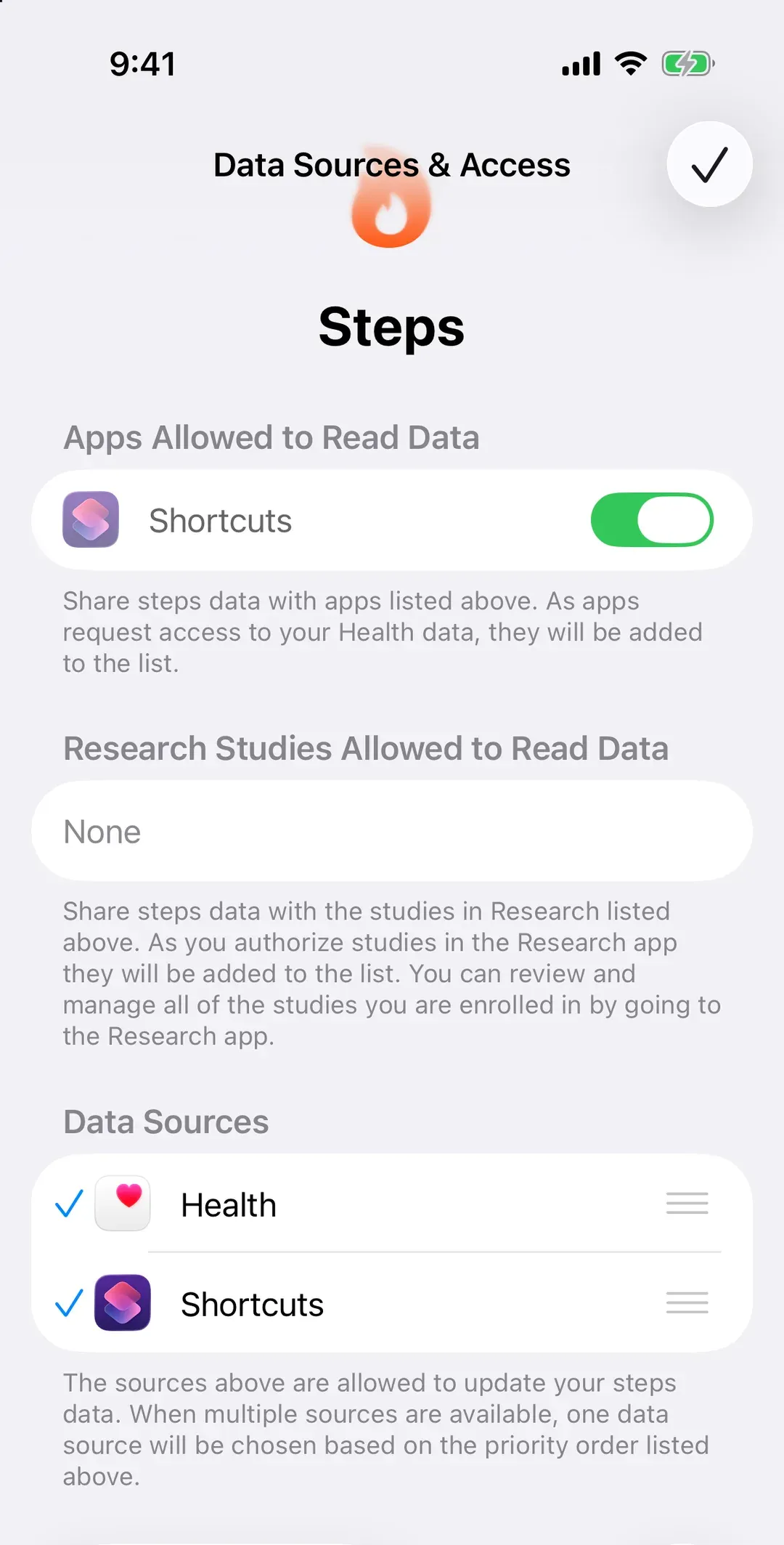
- Scroll to the bottom and tap Data Sources & Access, then Edit.
- Touch and hold the three lines (≡) next to the one you trust, drag it to the top, then tap Done.
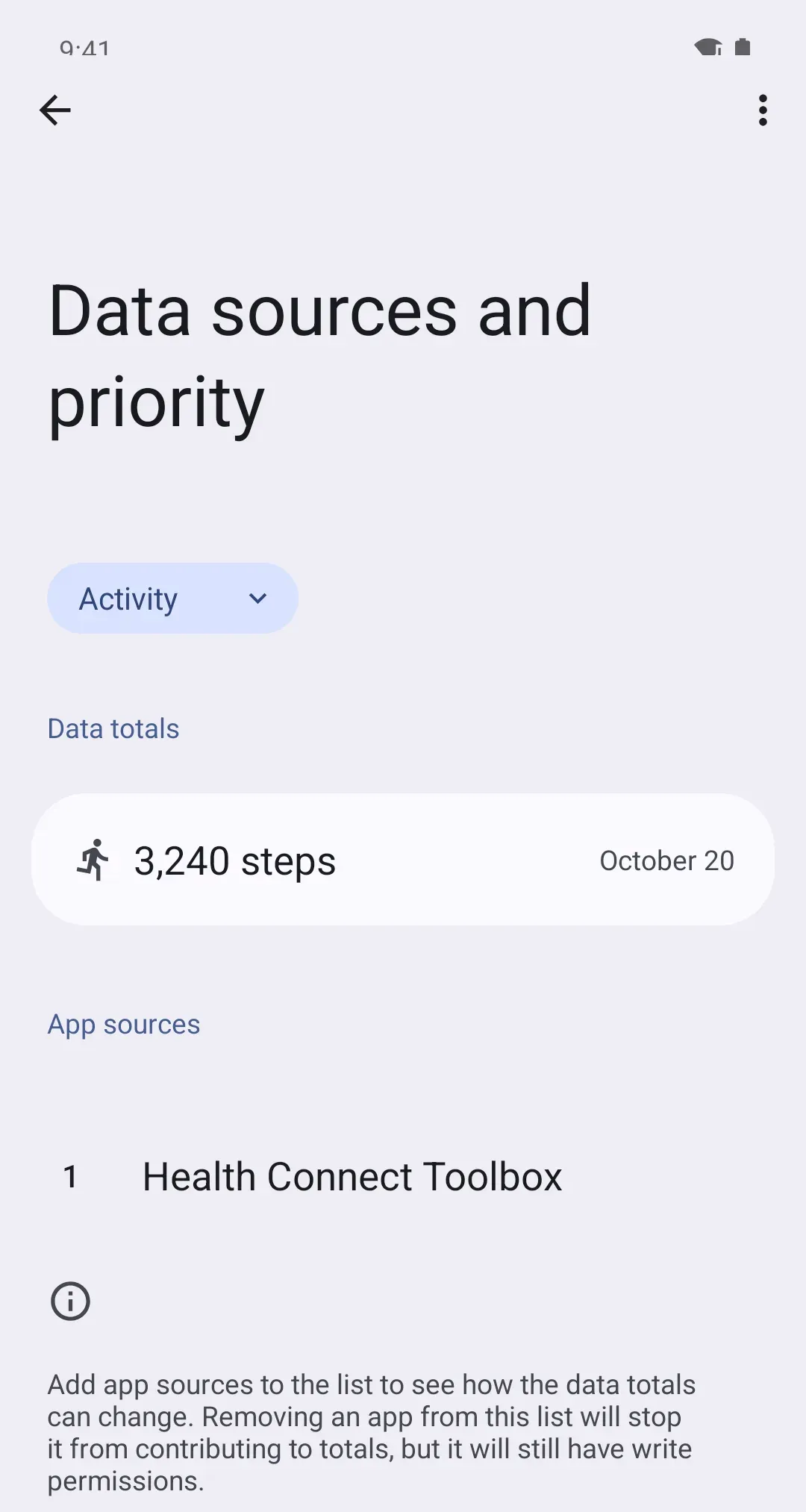
- Open Health Connect and tap Manage data, then Data sources and priority. Android 13 and older: don't see Manage data? Tap Data and access, then Activity, then App priority.
- If the menu at the top doesn't say Activity, choose Activity.
- Tap the three dots (⋮) next to your app, then Move up, until it's at the top. No dots? Drag it there.
On iPhone
On Android
Wrong entries and steps you added by hand
On iPhone, steps you type into Health yourself outrank everything else. To remove a wrong entry: in Health, open Steps, tap Show All Data, then Edit, and delete it. On Android: Health Connect › Data and access › Activity › Steps › Entries (See all entries in older versions), then the trash icon.
If one app keeps writing wrong steps, stop it writing instead. Google’s own advice for a single source of truth: take Steps access away from every app but the one you trust.
Why your watch’s app shows a different number
Your watch’s app shows the watch’s own count. The store shows the merged count, under your order, from the steps that have arrived. Many apps send late: Garmin Connect and Google Health when the watch syncs, Samsung Health and Oura when you open them, WHOOP often not until the next day. Until they arrive, the store runs behind. More in Why are my steps lower than my watch or fitness app?