GuideGuideGuide · 4 steps
My step app shows steps but Steps Club shows zero
Which phone do you use?
We'll show the steps for it. You can switch any time.
Steps for your iPhone Steps for your Android phone Which phone do you use?
Set by your Steps Club app Set by the link you opened Detected your iPhone Detected your Android phone Remembered from your last visit Saved for your next visit Showing iPhone · Showing Android ·
- Android 14+
- Android 9–13
- Samsung Health
- Google Health
- Garmin Connect
- Oura
Quick answer
AndroidYour step app hasn't sent its steps to Health Connect yet. Open that app's settings, find Health Connect, and allow Steps. Then open the app once so it sends today's steps.
Two sides, two permissions
Health Connect sits between your apps. Your watch or step app saves steps into it. Steps Club, and any other app, reads them out. Each side needs your OK, app by app and type by type.
So Samsung Health or Google Health can show 9,000 steps while Health Connect holds none. Until the app is allowed to share, its count stays inside the app.
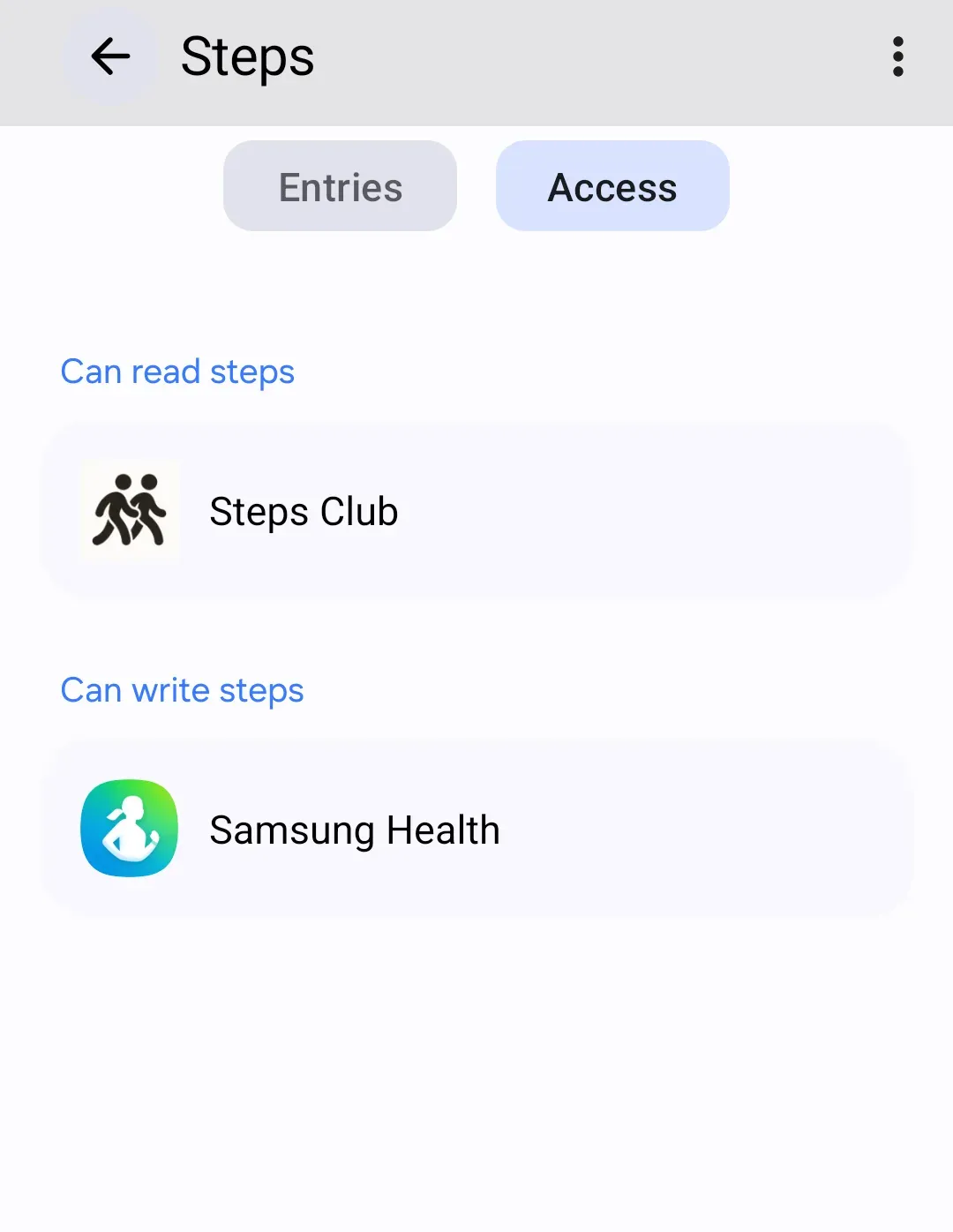
Let your step app save steps
Android 13 and older: Health Connect is a separate app here. Install or update it from the Play Store first: Get Health Connect.
- Open your step app and go to its Settings.
- Find Health Connect. Some apps file it under Connected apps, Partner apps or Data sharing.
- Allow Steps. Allow all works too.
- Go back to the app's home screen and let your watch sync. Most apps send steps when they sync or when you open them.
Can’t find it in the app? Start from Health Connect: tap App permissions (on Samsung phones, Your health apps), then your app, and allow Steps. Some apps only show up after you start the connection from inside the app.
Then run the quick check again. Your app should be in today’s entries.
Still not counting? Open Health Connect, tap Manage data, then Data sources and priority, and choose Activity. Your app should be under App sources. An app that isn’t listed there can still save steps, but they don’t count in your total.
By app
Samsung Health (Galaxy phones, Galaxy Watch)
In Samsung Health, tap More options (three dots), then Settings › Health Connect › Samsung Health. Under Allowed to write, open Activity and turn on Steps. It needs Samsung Health 6.22.5 or later. Samsung Health comes installed on every Galaxy phone, but installed isn’t the same as sharing.
Already allowed and still 0? In Health Connect, go to Manage data › Data sources and priority › Activity, and put Samsung Health first.
Galaxy Watch steps reach Samsung Health on your phone first, on Samsung’s own schedule, and Health Connect after that. Still missing? Update Samsung Health on your phone and watch, then go to Settings › Sync with Samsung Cloud (older versions: Sync with Samsung account) and tap Sync now.
Google Health (Fitbit, Pixel Watch)
In Google Health, tap Connections, then Partner apps, and set up Health Connect. Allow Steps. When it asks about additional access, allow it, so Google Health keeps sending in the background. You need an adult Google Account.
To see if it’s sending, go to Connections › Partner apps › Manage Health Connect. “Synced just now” means it’s working. The sync icon at the top sends again.
Garmin Connect
Garmin Connect sends steps to Health Connect after each watch sync. Its menus differ by phone, so the surest route is Health Connect › App permissions (on Samsung phones, Your health apps) › Garmin Connect › allow Steps. Then open Garmin Connect and let your watch sync.
Oura
In Oura, tap the menu at the top left, then Settings. Under Data sharing, tap Health Connect and turn on steps. Oura’s old Google Fit link is gone. Oura sends steps after your ring syncs with the app, so opening Oura is the surest nudge.
Let Steps Club read them
- Open Health Connect and tap App permissions (on Samsung phones, Your health apps), then Steps Club.
- Allow Steps.
- Under Additional access, allow access in the background, so your steps update while Steps Club is closed.
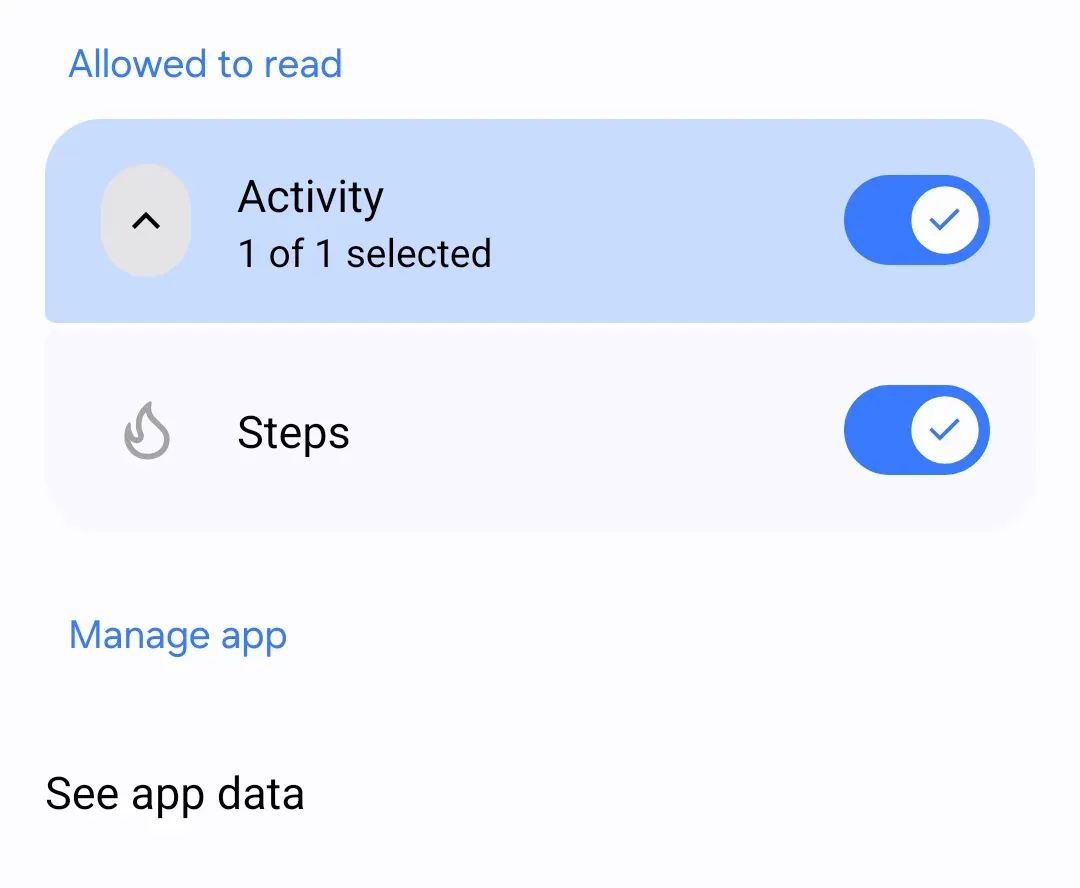
Then open Steps Club. Its steps update as it opens. In Health Connect, See all recent access should now list Steps Club. It shows every app that read or saved data in the last 24 hours.
Why this happens
Health Connect is Android’s shared place for health data, kept on your phone. Apps save their steps there and read each other’s, only with your permission.
Every link has to hold: watch → its app → Health Connect → Steps Club. The watch’s app is where it usually breaks. It’s installed, it shows your steps, and nobody ever turned on sharing. Or sharing is on, but the app only sends when it syncs or opens, so today hasn’t arrived yet. That second case has its own guide: Why are my steps lower than my watch or fitness app?